
Nashville Resident Lookup Coverage
A one-person search begins by choosing the record role, not by building a generic profile. A Nashville parcel source can identify an owner or tax mailing context. Voter confirmation can establish a matching registration record under its required fields. A court index can establish a party role and filing date. Archives and city directories can establish a dated household presence. Each source has a separate access boundary, and none is a complete current-residence roll.
| Record | What It Confirms | Where | Access |
|---|---|---|---|
| Property association | Owner, parcel, situs and mailing context | Metro Assessor and Parcel Viewer | Public portal; owner is not automatically occupant |
| Voter registration | Matching registration and election contact path | Tennessee voter lookup | All five fields required; protected fields withheld |
| Civil or probate case | Party role, case type, filing date | Davidson CaseSearch | Basic search is free; images excluded |
| Family event | Documented birth, death, marriage, or divorce fact | Vital Records, Clerk, or Archives | Eligibility, identification, fee, and period limits |
| Historical household | Period address and household listing | Metro Archives and library collections | Dated publication, not present-residence proof |
A result becomes more reliable when a name agrees with an address, age or date, parcel, family relationship, legal role, or agency identifier from another independent source.
Verifying a Nashville Resident
Start with the least intrusive record that answers the question. For a current property connection, use the Assessor or Parcel Viewer. For a historical household, use a directory or archive collection. For an estate question, use the probate office filter in CaseSearch. For voter confirmation, use the state form only when the required name and birth details are already known. A name hit alone is low confidence.
- Write down the name exactly as known, the place, the approximate date, and the specific role being checked.
- Run the official Nashville or Tennessee source that fits that role, and retain its result date or no-match message.
- Compare a second independent fact, such as a parcel, age or date, family member, case role, or historical address.
- Keep conflicts visible. A mailing address, a court party, and a past directory line can all name the same person without proving present residence.
- Ask the custodian for a certified copy, older file, or correction procedure when the online result does not answer the question.
- Docket
- A court’s index of a case and its filings or events, not necessarily the complete file.
- Index versus image
- An index points to a record; the image is the underlying document when public and available.
- Certified copy
- A copy issued or authenticated by the custodian for the purpose stated by that office.
Nashville CaseSearch Fields and Results
Davidson Circuit, Probate, and General Sessions Civil records use CaseSearch and CaseLink. The basic CaseSearch lookup is free. Use a specific party name, select a party role when known, and add an office or filing-date range to separate similar names. The free service excludes document images. CaseLink is listed at $25 per month and adds detailed filing information, select images, alerts, and related account features.
| CaseSearch field | Type | Documented choices |
|---|---|---|
| Party name | Text | Primary search field |
| Party Type | Optional dropdown | All, Plaintiff or Petitioner, Defendant or Respondent |
| Office | Optional dropdown | General Sessions, Circuit, or Probate |
| File Date From and To | Optional dates | Narrows a filing-date range |
A documented result can show indexed party names and roles, office, case number when shown, case type, and filing date. The free service does not promise every disposition or a document image. Juvenile, sealed, expunged, adoption, and other confidential material may be withheld.
Davidson CaseSearch and CaseLink provide the official screen captured here.
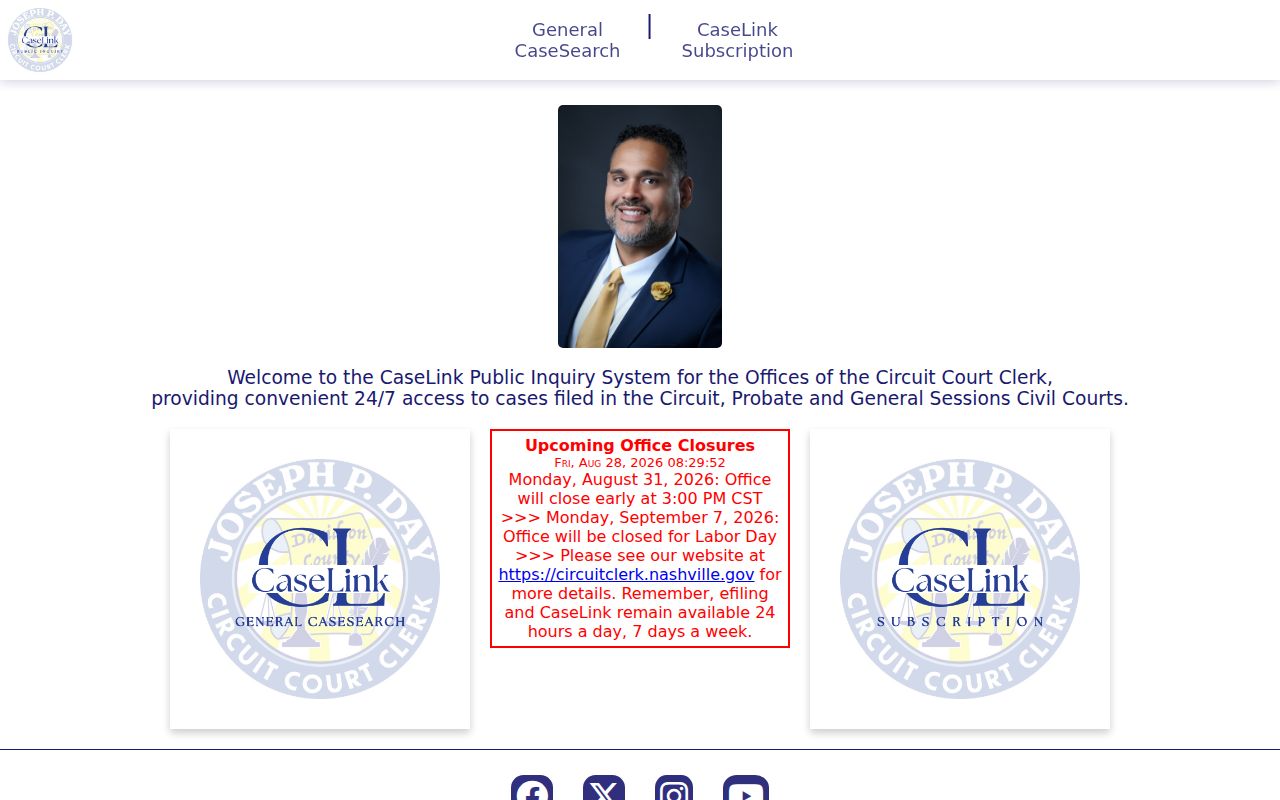
For a certified copy or an older file, use the Circuit Court Clerk rather than treating a search result as a certified record.
Nashville Court and Custody Records
Davidson’s criminal public search, civil and probate CaseSearch, active-inmate search, and state custody lookup answer different questions. A court result identifies a filing, charge, or disposition in the system’s stated coverage. The Sheriff result is a time-sensitive booking or active-custody snapshot. A state custody result has its own coverage and identifier rules. Do not merge these distinct sources into one conclusion about a person.
The Davidson Criminal Court public search is the source for this local record image.
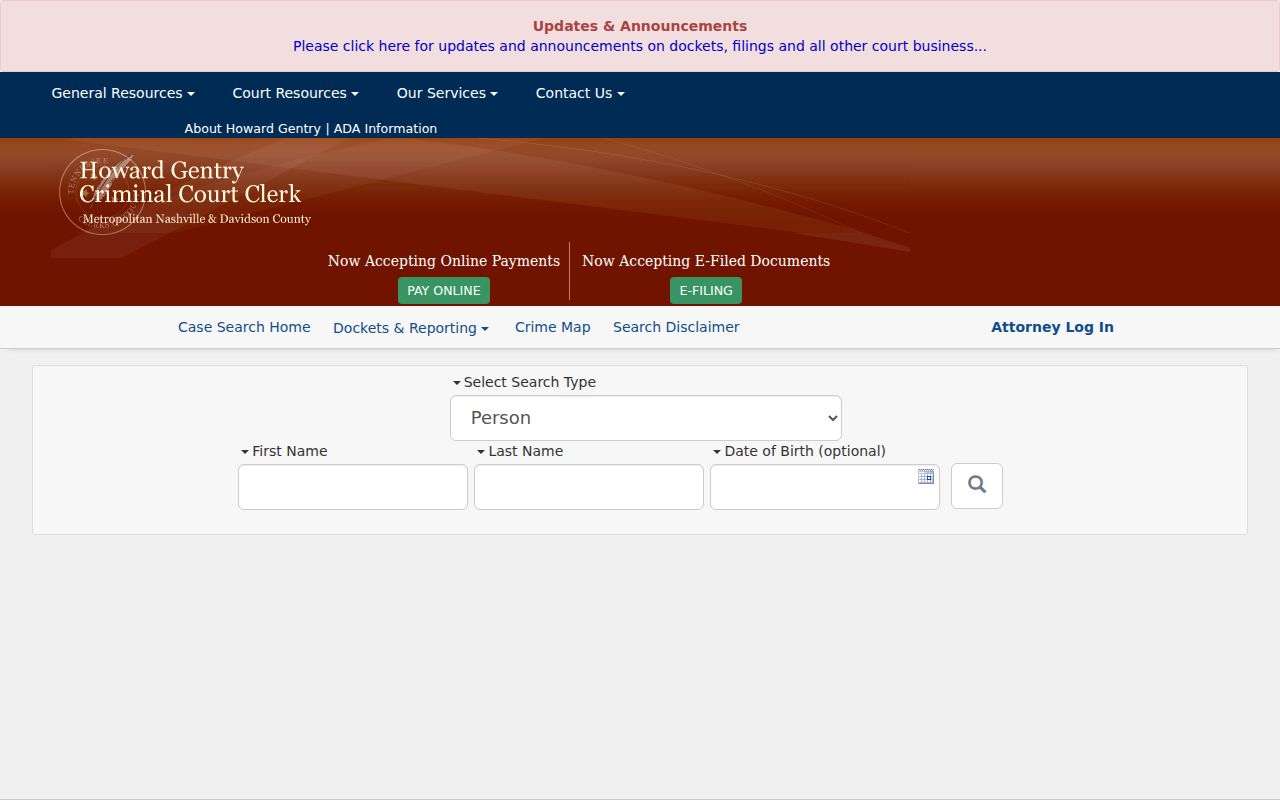
Its published coverage includes legacy data from 1980 and later disposition cutovers. Name searches must use the spelling entered at arrest, and expunged charges are excluded.
Davidson County Sheriff active-inmate search is also shown in the local image set.
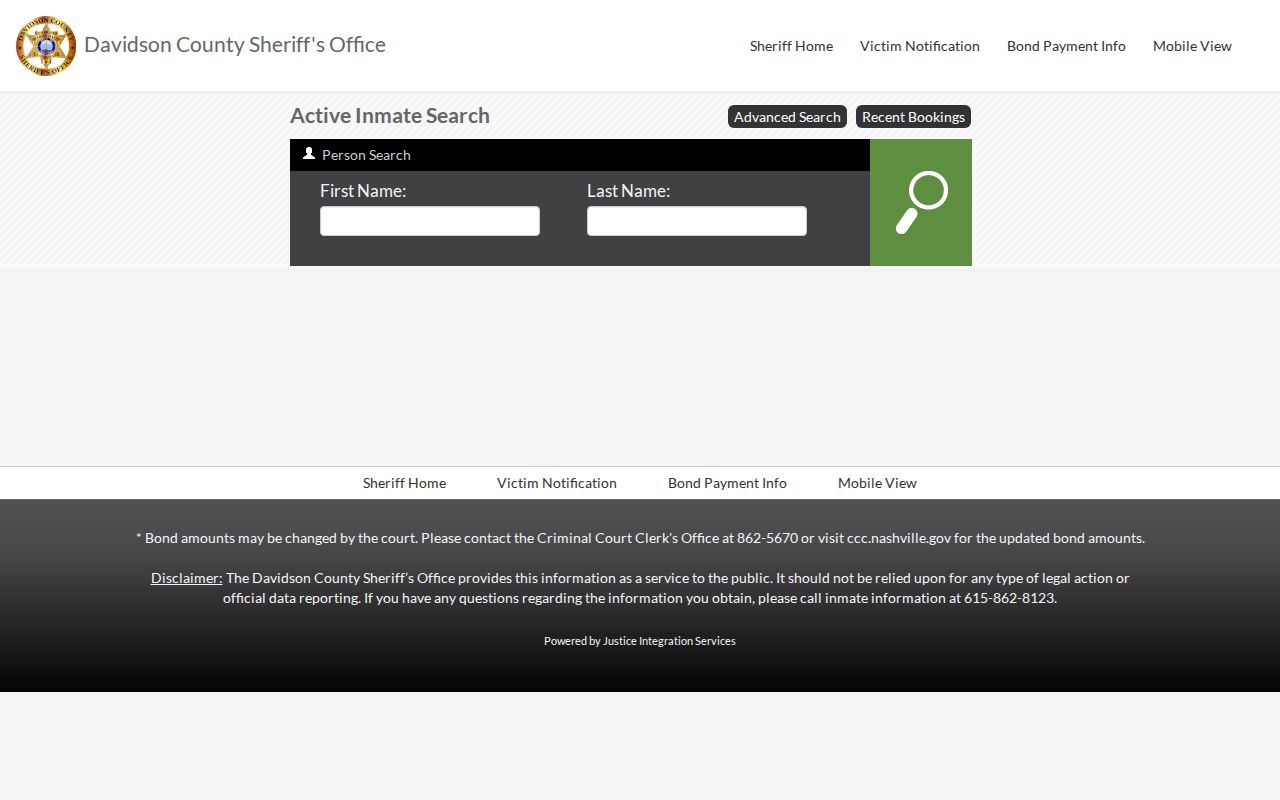
The Sheriff form offers first and last name with advanced OCA, warrant, CIS, and date-of-birth fields. The Sheriff warns that its service is informational rather than an official legal report.
Note: A court filing, a custody record, and a final court result are different record roles and need their own date and source.
Nashville Voter and Parcel Roles
Use the Tennessee voter form as a matching-record confirmation, not as a street browser. It requires Davidson County, first name, last name, birth month, and birth year. A no-match message should be recorded with the input and date, then directed to the Davidson Election Commission for help. The registration address is election data, not a guarantee that the person lives at that address today.
For a property question, separate the parcel’s situs address from the owner’s tax mailing address. The Assessor and Parcel Viewer can establish a current property relationship, while the Register of Deeds supplies the recorded instrument trail. A trust, company, estate, or remote mailing recipient may appear as owner. The Nashville street directory handles the address-first record chain when the question shifts from one person to a street.
Nashville Family Record Channels
Family-history questions need the custodian that holds the event. Tennessee Vital Records keeps state certificates for the past 100 years for births and the past 50 years for deaths, marriages, and divorces. Older material moves to the Tennessee State Library and Archives, county clerk, court clerk, or Metro Archives according to the record type. A public index can give a name, date, book, or page, but it is not a certified copy.
Birth, death, marriage, and divorce applications require a documented relationship or other entitlement, identification, a fee, and a signed application. Davidson County health departments can issue statewide birth and death certificates. Recent Davidson marriage copies begin with the County Clerk, while a full divorce case file belongs with the court clerk where granted. Metro Archives marriage indexes have their own historical coverage and online-index limits.
Tennessee Vital Records applications are the source for this local record image.
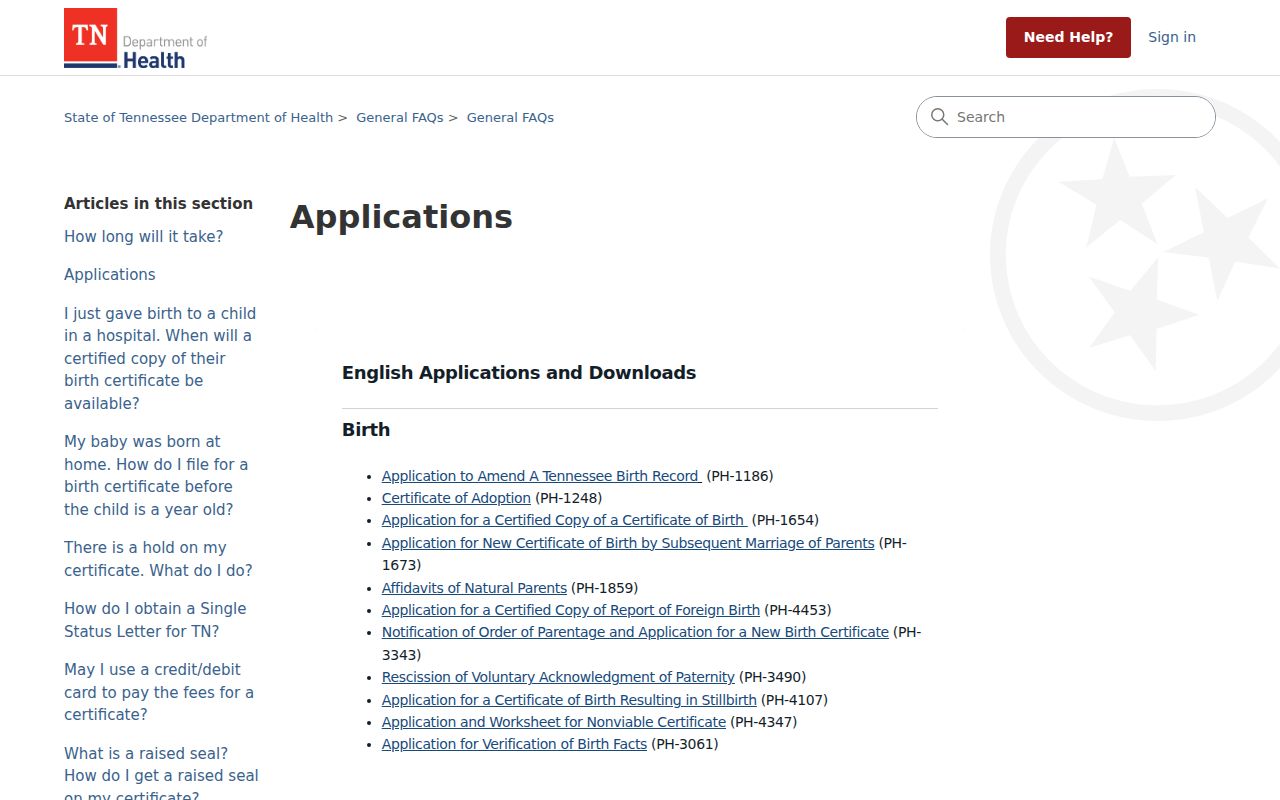
Use the application that matches the event and confirm the current access instructions before submitting documents or payment.
Nashville Resident Lookup Geography
Nashville labels need a date and a jurisdiction. The Metro government took effect in 1963, while Belle Meade, Berry Hill, Forest Hills, Goodlettsville, and Oak Hill retained municipal charters. A historical directory, court file, deed, or obituary can therefore identify a ward, Davidson County, a satellite municipality, or a community name instead of the modern Metro label.
Postal geography adds another limit. A ZIP or mailing city is not proof of municipal residence, and institutional Nashville ZIPs can represent a campus or facility. Keep the source’s original place label, event date, parcel situs, mailing address, neighborhood, and municipality separate. That is especially helpful when family material uses Donelson, Madison, Old Hickory, or another name that overlaps with Nashville in a modern search.
Nashville Lookup Privacy Boundaries
Some Nashville records are not general lookup fields. Tennessee protects Safe at Home participant information, protected voter fields, driver information, vital-record details, public-employee residential information, private utility records, juvenile material, sealed court material, and expunged records. A no-match can reflect a confidentiality rule, a coverage limit, an old spelling, or a different custodian.
Tennessee’s official registry search is the source for this local record image and has its own statutory publication rules.
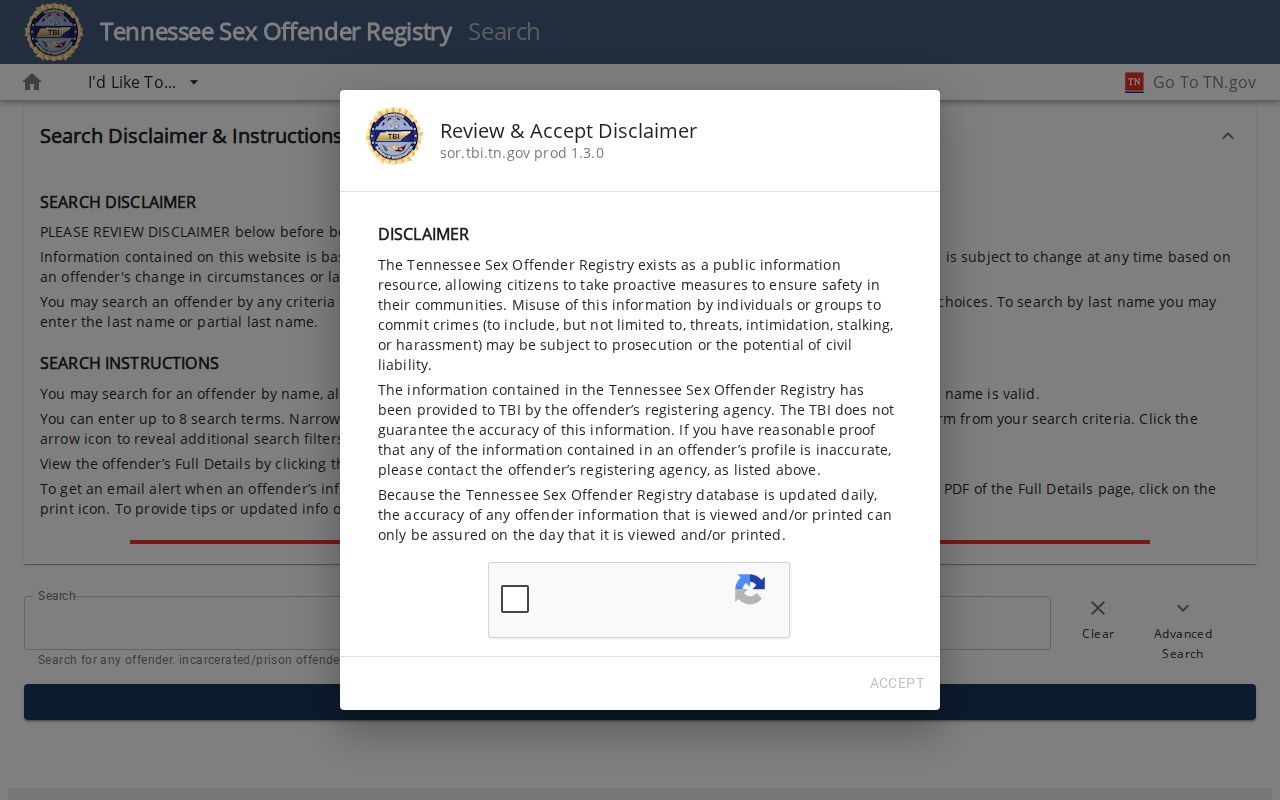
The search offers optional name, alias, address, city, county, ZIP, identifier, status, and offense filters, but its information should not be used to threaten, intimidate, harass, or discriminate.
Nashville License and Filing Context
State license and business records can confirm a public filing role, credential, or entity connection, but they are not a home-address source. Tennessee’s Commerce search offers individual or business name, license type, number, city, and county modes. The Secretary of State entity search can show filings, registered agent or office, officers or members where the filing provides them, and assumed-name paths. Keep the entity name, status, role, and filing date together.
A registered office may belong to a service company, attorney, officer, or another representative. A license can be inactive, expired, renewed under a different legal name, or tied to an office. The proper conclusion is a dated public role, not a conclusion about where a person lives.
Nashville Lookup Source Notes
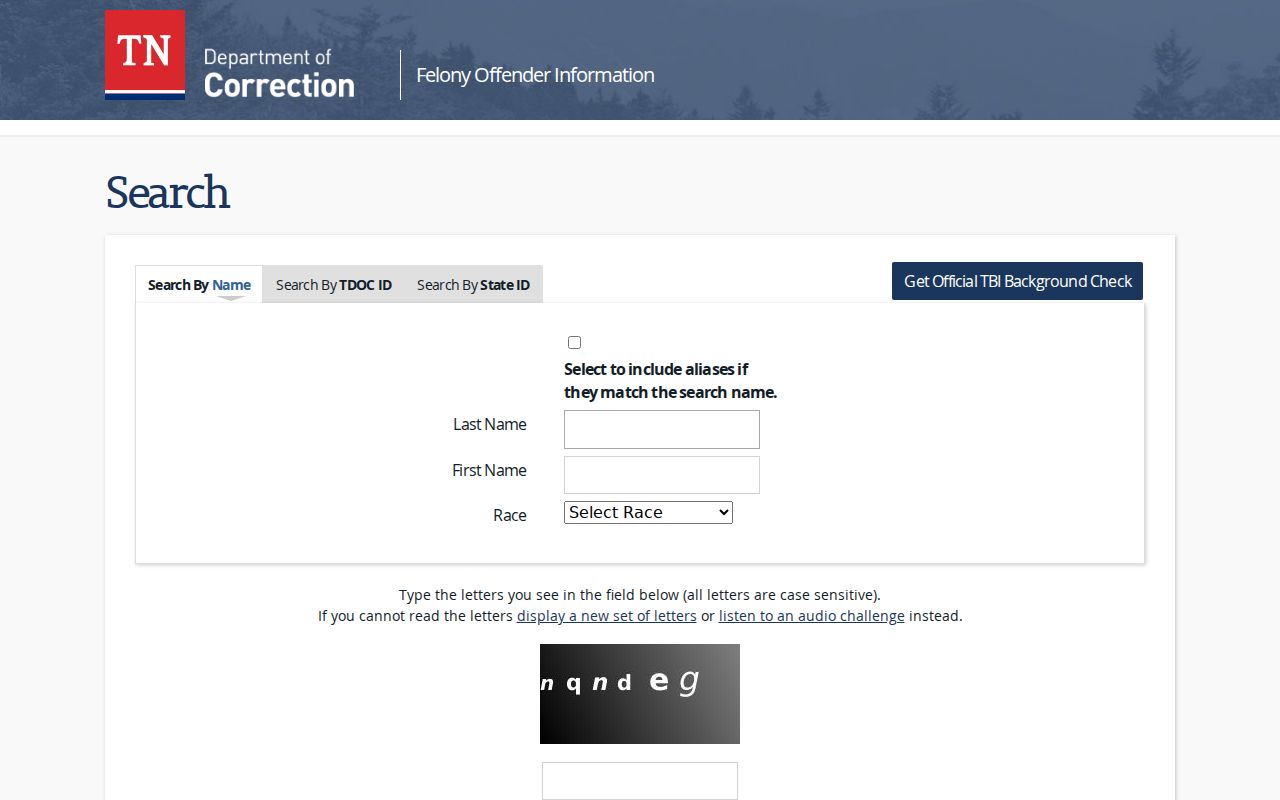
For a state custody record, begin with the agency’s own field limits. Tennessee Felony Offender Information Lookup accepts last name, first name, TDOC ID, or State ID, and lets a name search include aliases. It has a CAPTCHA and does not replace a full statewide history. It may omit county matters, restricted records, expunged material, or data held under another identifier.
Tennessee Felony Offender Information Lookup is the official source in this local record image.
Keep a source note with the official URL, exact spelling, record role, event or record date, jurisdiction, retrieval date, and match confidence. If records conflict, ask the custodian about its correction or certified-copy procedure rather than choosing the result that seems most convenient.